 Author:


Quick gut check: if you asked your favorite AI chatbot to check today's weather, book a meeting, or analyze a selfie for wrinkles, could it actually do it — or would it just apologize and suggest you Google it? That gap between "smart language model" and "software that gets things done" is exactly what the Model Context Protocol (MCP) was invented to close, and an MCP server is the piece that makes it real.
In plain terms, an MCP server is a small, standardized bridge that lets an AI model reach out and use real tools, real data, and real APIs — without a developer hand-writing a custom integration for every single app. Since Anthropic open-sourced the protocol in November 2024, it's been adopted by OpenAI, Google DeepMind, Microsoft, and thousands of independent developers, turning MCP into something close to the USB-C of the AI world. Below, we'll unpack exactly how MCP servers work, why they matter for anyone building AI-powered products, and how Perfect Corp exposes its AI face analysis, skin diagnostic, and virtual try-on capabilities as MCP servers developers can plug into agent tooling today.
In this guide:
- What Is an MCP Server, Exactly?
- Who Invented MCP (and Why Is Everyone Suddenly Obsessed With It)?
- How Does an MCP Server Actually Work?
- Is an MCP Server Just a Fancy API?
- Why Should Businesses Care About MCP Servers?
- What Can You Actually Build With an MCP Server?
- How Does Perfect Corp's AI API Work as an MCP Server?
- Is It Safe to Connect an MCP Server to Your AI Agent?
- Frequently Asked Questions
What Is an MCP Server, Exactly?
Strip away the acronym soup and an MCP server is refreshingly simple: it's a lightweight program that exposes a specific set of tools, data, or capabilities to an AI application in a format the AI can understand and call on its own. Think of it as a translator standing between "I want Claude to check my calendar" and the actual API call that makes that happen.
The official Model Context Protocol documentation describes it with a comparison that's stuck for good reason: MCP is "like a USB-C port for AI applications." Just as USB-C lets any device plug into any compatible port without a custom cable for every gadget, MCP lets any AI model plug into any compatible server without a bespoke integration for every tool. One protocol, many servers, zero reinvented wheels.
Every MCP server typically exposes some combination of three things:
| MCP Building Block | What It Does | Real-World Example |
|---|---|---|
| Tools | Actions the AI can trigger | "Run a skin analysis on this photo" |
| Resources | Data the AI can read | A product catalog, a customer record, a file |
| Prompts | Pre-built instructions or workflows | A templated "generate a shade-match report" prompt |
Once a server exposes these, any MCP-compatible AI app — Claude, ChatGPT, Cursor, VS Code — can discover them automatically and start using them. No custom wrapper code, no fragile scraping, no "let me write a new integration for every client."
Who Invented MCP (and Why Is Everyone Suddenly Obsessed With It)?
MCP isn't some dusty enterprise standard that's been kicking around for a decade. Anthropic open-sourced the protocol on November 25, 2024, built by engineers David Soria Parra and Justin Spahr-Summers to solve a very specific headache: every AI app that wanted to connect to Slack, GitHub, a database, or a proprietary API needed its own one-off integration. MCP standardized that into "build the connector once, use it everywhere."
The adoption curve since then has been unusually fast for a developer protocol:
- March 2025 — OpenAI officially adopted MCP across its products, including the ChatGPT desktop app, with expanded MCP support inside ChatGPT apps by September 2025.
- 2025 — Google DeepMind, Microsoft (via Semantic Kernel and Azure OpenAI), Cloudflare, Replit, and Sourcegraph all added MCP support.
- December 2025 — Anthropic donated MCP's governance to the Agentic AI Foundation, a directed fund under the Linux Foundation co-founded by Anthropic, Block, and OpenAI — a strong signal this protocol isn't going anywhere.
Translation: when Anthropic, OpenAI, Google, and Microsoft all agree on one integration standard, it's worth learning it now rather than later. If you want the bigger picture on how APIs generally power this kind of connectivity, our guide to API use cases is a good companion read.
How Does an MCP Server Actually Work?

Users can easily try on makeup right inside Claude using MCP.
Under the hood, MCP runs on a client-host-server architecture, communicating over JSON-RPC 2.0 — a lightweight messaging format that's been reliable since long before "AI agent" was a job title. Here's the flow in plain English:
- An AI application (the host — think Claude Desktop, Cursor, or your own agent) spins up a dedicated client for each MCP server it wants to talk to.
- The server announces what it can do: its available tools, resources, and prompts, each with a natural-language description the model can actually understand.
- The AI model reads those descriptions and decides, mid-conversation, when to call a tool — say, "run a face attribute analysis on this image."
- The client sends that request to the server, the server does the real work (querying an API, a database, a file system), and sends the result back.
- The result gets injected right back into the AI's context, and the conversation continues like nothing technical just happened.
What's the Difference Between an MCP Host, Client, and Server?
This trips people up constantly, so here's the cheat sheet:
| Component | Role | Example |
|---|---|---|
| Host | The AI application the user interacts with | Claude Desktop, Cursor, an internal agent app |
| Client | The connector inside the host, one per server | Built into the host app, invisible to the user |
| Server | The program exposing tools/data/prompts | A GitHub MCP server, a database MCP server, Perfect Corp's YouCam AI MCP server |
What Are "Tools," "Resources," and "Prompts" in MCP, in Practice?
If tools, resources, and prompts still feel abstract, picture a support agent MCP server for an e-commerce brand: the tool might be "issue a refund," the resource might be "this customer's order history," and the prompt might be a pre-written "draft an apology email" template. The AI model mixes and matches all three, live, based on what the conversation actually needs.
Is an MCP Server Just a Fancy API?
Close, but not quite — and this is the distinction that trips up even experienced backend developers. A traditional REST API is built for a human developer to read documentation, learn the exact endpoints, and hard-code calls to them. An MCP server is built for an AI model to discover and call dynamically, without a developer pre-wiring every possible interaction.
| Traditional API | MCP Server | |
|---|---|---|
| Consumer | Human developer writing code | AI model deciding in real time |
| Discovery | Manual — read the docs, hard-code endpoints | Automatic — server self-describes its tools |
| Integration effort | New integration per app/tool combo | Build once, any MCP-compatible AI can use it |
| Best for | Fixed, predictable workflows | Flexible, conversational, agentic workflows |
In short: MCP doesn't replace your API — it sits on top of one, translating it into something an AI agent can reason about and use on the fly. Most MCP servers, including Perfect Corp's, are literally a thin, standardized layer wrapped around an existing REST API.
Why Should Businesses Care About MCP Servers?
If you're a B2B decision-maker skimming this wondering "why does my roadmap need this," here's the honest pitch: every AI agent your company builds or buys is only as useful as the tools it can reach. An MCP server is how you make your product's capabilities reachable by the entire fast-growing ecosystem of AI agents — without maintaining a separate custom integration for every AI platform your customers happen to use.
- Developers get faster integration time — connect once, work everywhere MCP is supported.
- Product teams get access to an expanding ecosystem of agents and tools without building each connection from scratch.
- End users get AI assistants that can actually act on their behalf, not just talk about acting.
It's the same logic that made REST APIs a default expectation twenty years ago — except this time, the "client" reading your documentation is increasingly an AI model, not a person.
What Can You Actually Build With an MCP Server?
This is where MCP stops being theoretical. According to the official MCP documentation and early enterprise case studies, real teams are already using MCP servers to:
- Let an AI agent pull from Google Calendar and Notion to act as a genuinely personalized assistant.
- Have Claude Code generate a working web app directly from a Figma design file.
- Give enterprise chatbots access to multiple internal databases, so employees can "just ask" instead of writing SQL.
- Connect AI models to creative and design tools, from 3D modeling software to image generation pipelines.
- Power AI-driven customer experiences — including, as we'll get into next, beauty and fashion virtual try-on.
The common thread: MCP turns "AI that talks" into "AI that does," and that shift is exactly why it's showing up in nearly every serious AI agent roadmap in 2026.
How Does Perfect Corp's AI API Work as an MCP Server?

3 Key MCP Servers by Perfect Corp.
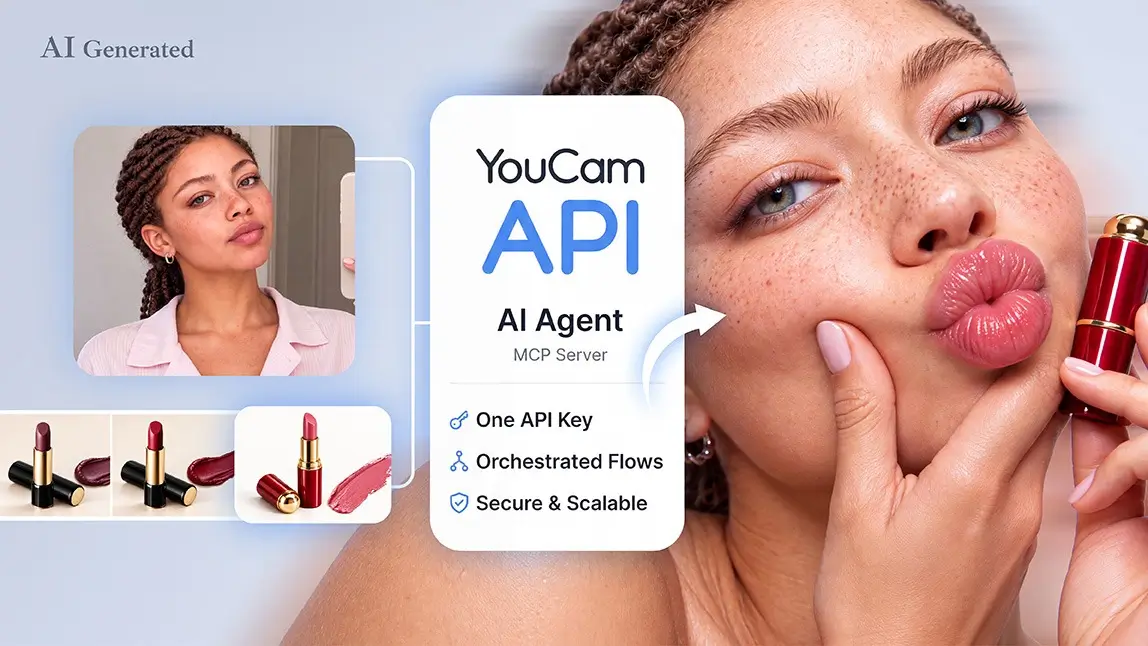
Here's the part most "what is MCP" explainers skip entirely: MCP isn't just for calendars and code editors. Perfect Corp exposes its entire AI/AR beauty stack — face analysis, skin diagnostics, virtual try-on, and more — as MCP servers, so any AI agent or coding assistant can call on real beauty intelligence the same way it would check the weather.
Perfect Corp's AI API (what we're calling PerfectAPI's MCP layer here) ships as three purpose-built MCP servers, each exposing a different domain of capability:
| MCP Server | What It Exposes | Example Tools |
|---|---|---|
| Beauty & Skin Care | Face and skin intelligence | Skin concern analysis, aging simulation, facial color tone detection, hair color/style try-on, makeup virtual try-on |
| Fashion & Retail | Apparel and accessory try-on | Clothing try-on, jewelry (rings, earrings, necklaces) try-on, shoe try-on, bag and watch try-on |
| Creators | Generative image/video tools | Text-to-image, background removal/replacement, face swap, avatar and headshot generation, video enhancement |
Practically, that means a developer building an AI shopping agent can let Claude or Cursor call a tool like "run a skin analysis on this selfie" or "show this ring on the customer's hand," get a structured result back, and weave it straight into the conversation — no custom API wrapper required.
What AI Beauty & AR Capabilities Can You Plug Into via MCP?
The same face and skin models behind Perfect Corp's consumer-facing tools are what these MCP servers call under the hood, including:
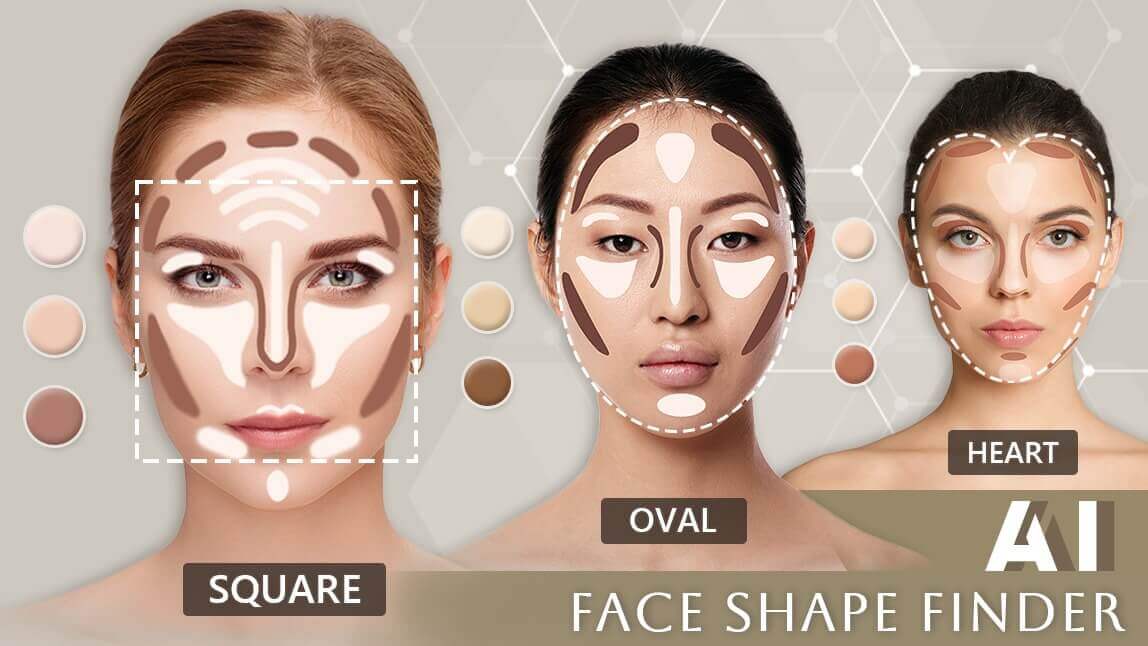
- AI Face Analyzer API — facial attributes, ratios, and face shape detection
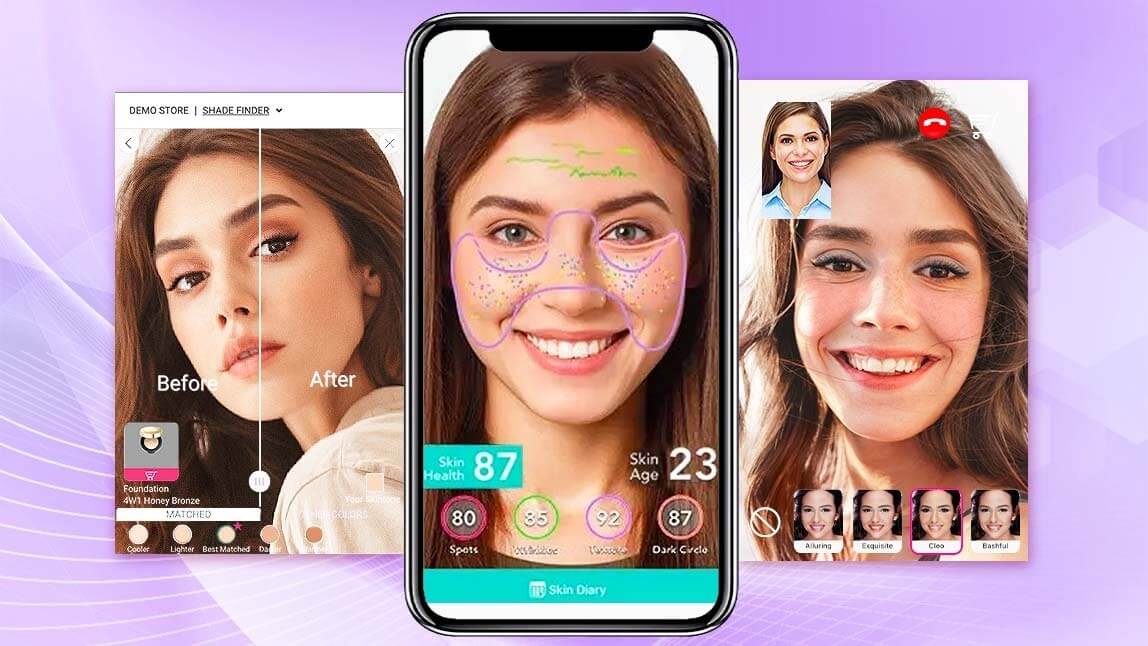
- AI Skin Diagnostic API — wrinkles, texture, tone, and skin concern scoring
- AI Hair Analysis — hair type, density, and frizziness detection
- AI Makeup & Jewelry/Glasses Virtual Try-On — photorealistic try-before-you-buy rendering
- AI Aesthetic Simulation — visualizing treatment or product outcomes
Want to see these live before wiring anything up? Browse Perfect Corp's full AI API lineup or check real brand deployments in our customer showcase.
How Do You Connect Perfect Corp's MCP Server to Claude, Cursor, or VS Code?
Setup is deliberately unglamorous — grab an API key, drop a config block into your AI client, done. A typical connection looks like this:
{
  "mcpServers": {
    "youcam-beauty": {
      "url": "https://mcp-api-01.makeupar.com/mcp/beauty",
      "headers": {
        "Authorization": "Bearer YOUR_API_KEY"
      }
    }
  }
}
From there, Claude Desktop, Cursor, or VS Code (with Copilot) automatically discovers every tool the server exposes. If you'd rather see the whole thing wired up end-to-end first, our step-by-step Claude + Skin Analysis API tutorial walks through building a working skincare app this way.
Try it yourself: Grab an API key and test any of these tools live in the Perfect Corp API Playground before you write a single line of integration code.
Is It Safe to Connect an MCP Server to Your AI Agent?
Fair question, and worth a straight answer: MCP is powerful precisely because it lets AI models take real actions, which means security researchers flagged legitimate risks not long after launch — including prompt injection through malicious tool descriptions and so-called "tool poisoning," where an untrusted server tricks a model into leaking data. None of that makes MCP unsafe by default; it makes vetting your servers non-negotiable.
A few practices worth baking in from day one:
- Only connect to MCP servers from sources you trust (or host yourself).
- Scope API keys and permissions as narrowly as the task allows.
- Review what data a tool can read or write before enabling it in production.
- Keep an audit log of every tool call an agent makes on a user's behalf.
Perfect Corp's MCP servers authenticate every request with a scoped API key, so you control exactly which capabilities — face analysis, try-on, generation — are exposed to which agent. Perfect Corp's MCP developer docs cover the full setup and auth flow if you want the technical deep dive.
Ready to see it in action? Contact Perfect Corp for a demo and we'll show you exactly how AI face, skin, and try-on tools plug into your existing agent stack.
Frequently Asked Questions
What is an MCP server in simple terms?
It's a small program that lets an AI model use real tools and data — like running a search, querying a database, or calling an API — through one standardized connection instead of a custom integration for every app.
Who created the Model Context Protocol?
Anthropic open-sourced MCP on November 25, 2024. It's since been adopted by OpenAI, Google DeepMind, and Microsoft, and its governance now sits with the Agentic AI Foundation under the Linux Foundation.
Is MCP the same as an API?
Not exactly. MCP is a protocol layer built on top of existing APIs that lets AI models discover and call them dynamically, mid-conversation, instead of a developer hard-coding every call in advance.
What is the difference between an MCP client and an MCP server?
The client lives inside the AI application (the "host") and manages the connection; the server is the separate program that actually exposes tools, data, or prompts for the AI to use.
Do I need to know how to code to use an MCP server?
To build one, yes — you'll need familiarity with JSON-RPC and a language with an MCP SDK (Python, TypeScript, C#, and Java are all supported). To use an existing MCP server inside Claude Desktop or Cursor, it's mostly copy-pasting a short config file.
Are MCP servers safe to connect to my AI agent?
They can be, provided you only connect to trusted, well-scoped servers, limit permissions to what's actually needed, and monitor tool calls — the same hygiene you'd apply to any third-party API integration.
Does Perfect Corp offer an MCP server?
Yes. Perfect Corp exposes its AI API across three MCP servers — Beauty & Skin Care, Fashion & Retail, and Creators — so developers can plug real face analysis, skin diagnostics, and virtual try-on directly into Claude, Cursor, VS Code, or a custom AI agent.
The Bottom Line
MCP servers are how AI agents stop being clever chatbots and start being genuinely useful software — able to reach real tools, real data, and real capabilities on command. Whether you're wiring up a calendar, a codebase, or a full AI beauty stack, the pattern is the same: build the connection once, and every MCP-compatible AI agent can use it from day one.
If your roadmap includes AI agents that need to see, analyze, or transform a face — skin diagnostics, virtual try-on, hair analysis, aesthetic simulation — Perfect Corp's AI API is already MCP-ready. Start testing in the API Playground, or explore the full capability set on our products page.