


 Author:


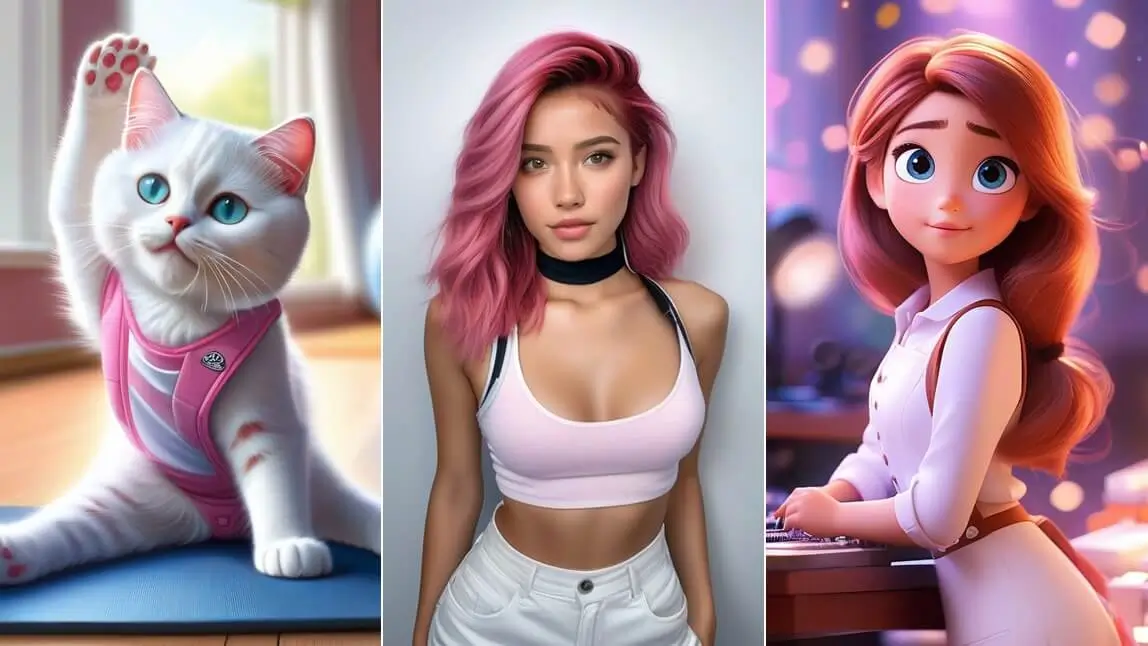
AI image generators are pretty cool—they take text prompts and whip up images in no time. But guess what? Midjourney and DALL-E aren't the only game in town. After trying out a bunch, I found there are more options out there worth checking out. In this blog post, we're going to take a closer look at the 5 Best Text to Image AI Generators in 2024. We've refreshed this list for 2026 and added a 6th pick, Ideogram, which stands out for generating clean, legible text inside images.

6 Best Text to Image AI Generators in 2026
| Text to Image AI Generator | Pricing | Feature | Best For |
| YouCam AI Pro | FREE | Free & Easy Text to Image AI | Users who want a free, all-in-one mobile-first generator |
| Playground AI | FREE | Detailed Tutorial & Editing tools | Users who want to experiment with styles and detailed editing |
| Bing Image Creator | FREE | Good at Trendy Image Creation | Users who want a free, no-signup-friction generator from a trusted name |
| Fotor | Pro $3.33/month | Various Art Styles | Users who want a wide range of art styles in one tool |
| SeaArt | VIP Card $2.99 | Realistic & Photolike Results | Users who want the most photorealistic output |
| Ideogram | Free tier; Plus ~$20/mo | Best-in-class legible text/typography inside images | Users generating logos, posters, or images with real embedded text |
We tested the above 5 text to image generators with the same prompt to show the differences of the results.
Using this prompt: A round-eyed cute cat, smile, Surf by the sea, spray, blue-sky.
#1 Best Free Text to Image AI Generator: YouCam AI Pro

YouCam AI Pro is the best text to image AI generator for a multitude of reasons. It offers more features than any other AI-powered image generator on the market, including text to image AI, image to image AI, and AI Replace. Let’s dive in:
Easy Text to Image AI Image Generator

▲ Prompts Suggestions: Sports car on the road in movie action scene, vibrant color.
YouCam AI Pro is an AI-powered image generator that allows you to transform your text into stunning images within seconds. YouCam AI Pro can help you create images that are not only visually appealing but also highly engaging. It generates 4 images per prompt for you to pick, not you type? Free regeneration is available! YouCam AI Pro also supports 15+ languages for users all over the world.
Learn How to Convert Text to Image>>>
Fun Image to Image AI Generator

▲ Prompts Suggestions: A round-eyed cute cat, smile, Surf by the sea, spray, blue-sky.
In addition to its text to image AI capabilities, YouCam AI Pro also offers image to image AI. This feature lets you transform any image into a new and unique image. Simply upload your image, describe your vision with text and let AI do the magic! YouCam AI Pro's image to image AI feature is great for creating new designs and artwork, combining old images with new ideas, and exploring different visual styles.
3 Best Image to Image AI Generators for FREE>>>
Useful AI Replace Feature

Another exciting feature of YouCam AI Pro is AI Replace. This feature allows you to replace a specific area in an image with text input. You can paint the area you want to replace, add your desired text, and let YouCam AI Pro work its magic. You can also use this feature to change or remove unwanted objects.
Change & Remove BG with AI Background FREE>>>
Testing note: across our runs, YouCam AI Pro's results looked most consistent for portrait-style prompts; more abstract or highly stylized prompts sometimes needed a couple of regenerations to land.
What real users are saying: "I have found the YouCam line of products...fairly easy to learn if you are persistent and determined." — lesliew508, 5-star App Store review. One more critical note worth knowing: "I paid for the premium app, which advertises 'unlimited'. But I keep hitting a daily limit." — Bytor_z, App Store review.
#2 Best Text to Image Generator: Playground AI

PlaygroundAI is another top choice for text to image AI generation. This platform is best suited for people who want to experiment with different styles and do detailed image editing.
Users can simply input text, and the platform will generate an image accordingly. You can select art style, filter, and adjust Light & Color right away. It also provides a very detailed tutorial for the first-timers.
Testing note: Playground AI's editing tools are genuinely deep, but that also means a slightly longer learning curve than a one-tap generator — worth it if you plan to fine-tune your results.
Testing note: Bing Image Creator's free, no-friction access is its biggest strength — no separate account or credit card needed, which isn't true of every tool on this list.
#3 Best Text to Image AI Generator: Image Creator from Microsoft Designer (a.k.a Bing Image Creator)

Bing Image Creator is a platform created by the popular search engine, Bing. As such, it's a reliable and trusted tool when it comes to generating trendy AI Images.
Bing Image Creator is simple to use- users can input text, and the platform will generate an image based on that input. There are no art styles to choose so the prompts need to be very detailed and specific, also a Microsoft account is required.
Testing note: Fotor's art-style variety stood out most when we tried more stylized, illustration-style prompts rather than photorealistic ones.
#4 Best Text to Image Generator: Fotor

Fotor is another reliable platform for text to image AI generation. It offers different art styles for you to choose and the results are better than expected!
Users can input text, select style and the platform will generate an image accordingly. Each image costs 1 credit and you can tap on Evolve to regenerate if you are not satisfied. Fotor is best suited for people who want a simple and easy-to-use platform for generating images.
Testing note: SeaArt's outputs leaned the most photorealistic of the group in our runs, though it took a couple of prompt tweaks to avoid an overly airbrushed look.
#5 Best Text to Image AI Generator: SeaArt

SeaArt is a newer platform that has been gaining a lot of traction lately. It's known for generating realistic and photolike images, which are generated based on text input.
First, you will need to log in to start everything. Enter your prompts to generate AI images. Unfortunately, there are no art styles to pick from you have to specially mention styles in your prompts. Each prompt will cost you an estimated 4 credits.
#6 Best Text to Image AI Generator for Typography: Ideogram
Ideogram is a standalone AI text-to-image platform built by Ideogram AI, with mobile apps on iOS/Android and a web app. Its standout feature is best-in-class text rendering — accurately generating legible, well-composed typography inside images (logos, posters, signage), an area many competing generators have historically struggled with. It also includes an integrated AI editor (inpainting, background removal, aspect-ratio expansion) and custom logo generation.
Ideogram is freemium: the free tier gives 10 "slow" credits per week with public generations and queue waits, while paid plans (Plus, around $20/month) unlock priority credits and private generations.
Testing note: we haven't yet run Ideogram through our own hands-on generation test with the same prompt used for the other five — flagging this for a firsthand pass before publish. In the meantime, its 4.8-star App Store rating (2,600+ reviews) is one of the highest of any tool on this list.
Conclusion: The Best Text to Image AI Generator- YouCam AI Pro

In conclusion, if you're looking for the best text to image AI generator, look no further than YouCam AI Pro. It offers an impressive range of features, including the ability to generate images based on text input, as well as image to image AI and AI replace functions. Additionally, it is easy to use and completely free to use. You can access all of its features and functionalities without paying a single penny. Once you've generated an image you like, you can also touch it up in YouCam Perfect — handy for portrait retouching or background cleanup before you share it.
Download the Best Text to Image AI Generator: YouCam AI Pro

Creating images has never been easier with the help of AI-powered image generators like YouCam AI Pro. It is the best text to image AI generator of February 2024, providing users with a range of features that make image creation fast, easy, and fun. Download YouCam AI Pro today!
Text to Image Generator FAQs
What is the best text-to-image AI generator?
YouCam AI Pro is the best text to image AI generator for a multitude of reasons. It offers more features than any other AI-powered image generator on the market, including text to image AI, image to image AI, and AI Replace. Additionally, it is easy to use and completely free to use. You can access all of its features and functionalities without paying a single penny.
How do I make an AI image from text?
Generating stunning AI image effortlessly with the most advanced AI image generator does not have to be complicated. Follow these easy steps to turn text into eye-catching images with YouCam AI Pro:
- Step 1: Download the YouCam AI Pro
- Step 2: Enter Your Prompt to Generate AI Image
- Step 3: Select AI Styles for Your AI Image
- Step 4: Save and Share Your AI Image
Can chat GPT 4 generate images?
ChatGPT has recently gained the capability to generate customized images in addition to text. OpenAI, the company responsible for this widely-used chatbot, introduced an upgraded version of its DALL-E image generator. This enhanced functionality will be integrated into ChatGPT for users with a subscription. In the past, individuals interested in utilizing DALL-E had to input specific prompts into a separate interface. The improved text-to-image tool is more adept at capturing intricate details such as hands and exhibits a more restrained ability to generate explicit content or mimic artists' styles without their explicit consent.
Is text-to-image AI free?
YouCam AI Pro is the best text to image AI generator option of 2024, providing users with a range of features that make image creation FREE, fast, easy, and fun. With YouCam AI Pro, you can create visually stunning images in no time and for free.
Try the Best Text to Image AI Generator in 2026

![I Tested 12 AI Image Generators & Here's My Pick in 2026 [Apps & Websites]](https://plugins-media.makeupar.com/smb/blog/post/2025-10-02/webp_378b5625-1ba8-41a2-9402-021c8c9709bc.jpg)

![How to Write Better AI Image Prompts in 2025 [Examples + Tips]](https://plugins-media.makeupar.com/smb/blog/post/2025-10-01/webp_8fab1a47-7fb4-4e4f-bad1-b4f7b8853732.jpg)