Author:


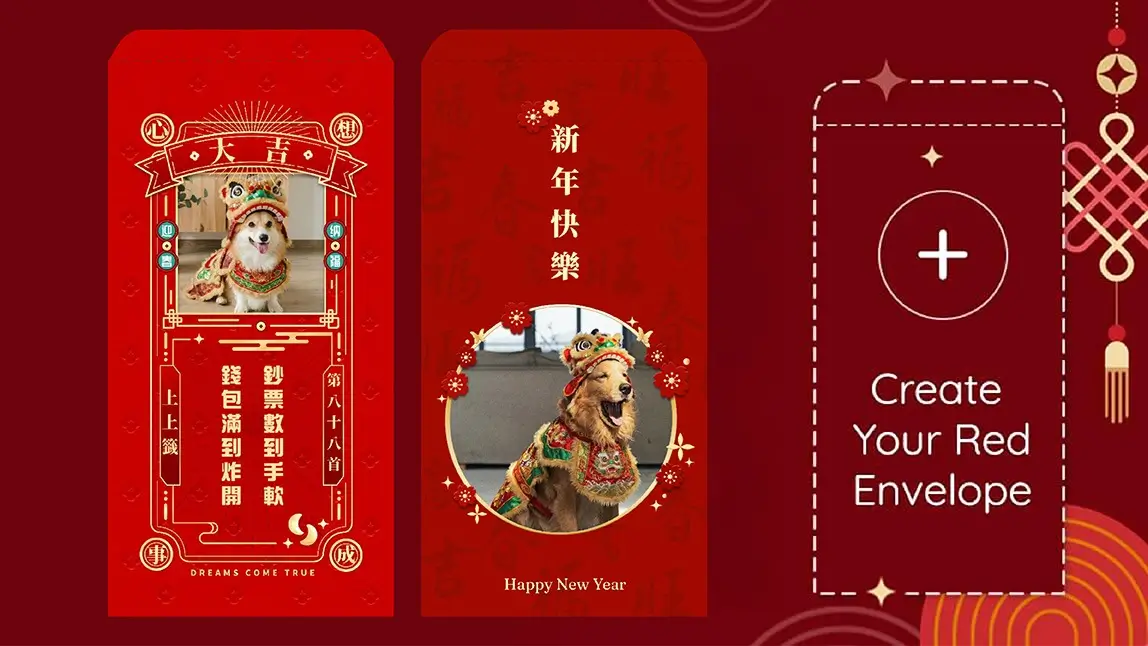
During the Chinese/Lunar New Year, gifting red envelopes is a wonderful tradition as it symbolizes good luck and prosperity. In this digital age, the trend has evolved into creating digital red envelopes, adding a modern twist to this age-old custom.
Read on to see how you can make creative Chinese New Year photo cards using the best Chinese New Year photo editor YouCam Perfect and its digital red envelope templates!

Best AI Photo Editor
The Best AI Photo Editor & Selfie Camera.
Remove objects, apply filters & more.
What Are Red Envelopes?

Nowadays, digital red envelopes are used as a convenient and eco-friendly way to give money, allowing people to send blessings along with their monetary gifts through messaging apps or online platforms.
How to Make Your Own Digital Red Envelope
- Step 1: Get the best digital red envelope maker.
- Step 2: Tap Photo Edit to upload your photo.
- Step 3: Find the Template feature and tap on the Holidays section.
- Step 4: Select your preferred red envelope template and adjust your image.
- Step 5: Save and share your digital red envelope.
Step 1: Get the Best Digital Red Envelope Maker
To get the red envelope templates, you must first get the best free digital envelope maker app.
It’s available for both iOS and Android devices; moreover, it is easy to navigate to popular photo editing features on the app’s homepage!
Best AI Photo Editor
The Best AI Photo Editor & Selfie Camera.
Remove objects, apply filters & more.
Step 2: Tap Photo Edit

Step 3: Go to Templates & then Holidays

To find YouCam Perfect's red envelope templates, navigating to Templates to find the Chinese New Year category under the Holidays tab.
Step 4: Select your Prefered Red Envelope Template
Select your favorite red envelope design.
As soon as the app adds your image to the template, you can adjust its size and position. You can also tap on some designs to resize them or press the "plus" button to add more images as photo decorations!
Step 5: Save and Share Your Digital Red Envelope
As you finish customizing, save it, print it out, or send it to your friend as a Chinese New Year photo card to wish your friends a happy Lunar New Year!
Will suggest using pictures over 1,200 pixels for good-quality print
Virtual Red Envelope Ideas & Designs
Traditional Red Envelope Design

Traditional red envelopes often feature intricate patterns painted with foil to create a luxurious and eye-catching effect. These patterns can include decorations like golden coins and ingots for "prosperity," the image of a horse, or traditional Chinese knots.
Personal Digital Hong Bao

For family members, you can add pictures of children. For friends or parents, you can include your selfie shots. You can even add your own doodles to bring a smile to your recipients and make their Lunar New Year a happy one.
YouCam Perfect: Best Chinese New Year App to Make Virtual Red Envelopes
YouCam Perfect is the best app for users to create digital red envelopes with various Chinese New Year templates, picture frames, and animated stickers with red envelopes featuring "Happy New Year" text.
You can easily turn these custom designs into Chinese New Year photo cards to wish people a Happy Lunar New Year in 2026!
Best AI Photo Editor
The Best AI Photo Editor & Selfie Camera.
Remove objects, apply filters & more.
Digital Red Envelope FAQs