Author:


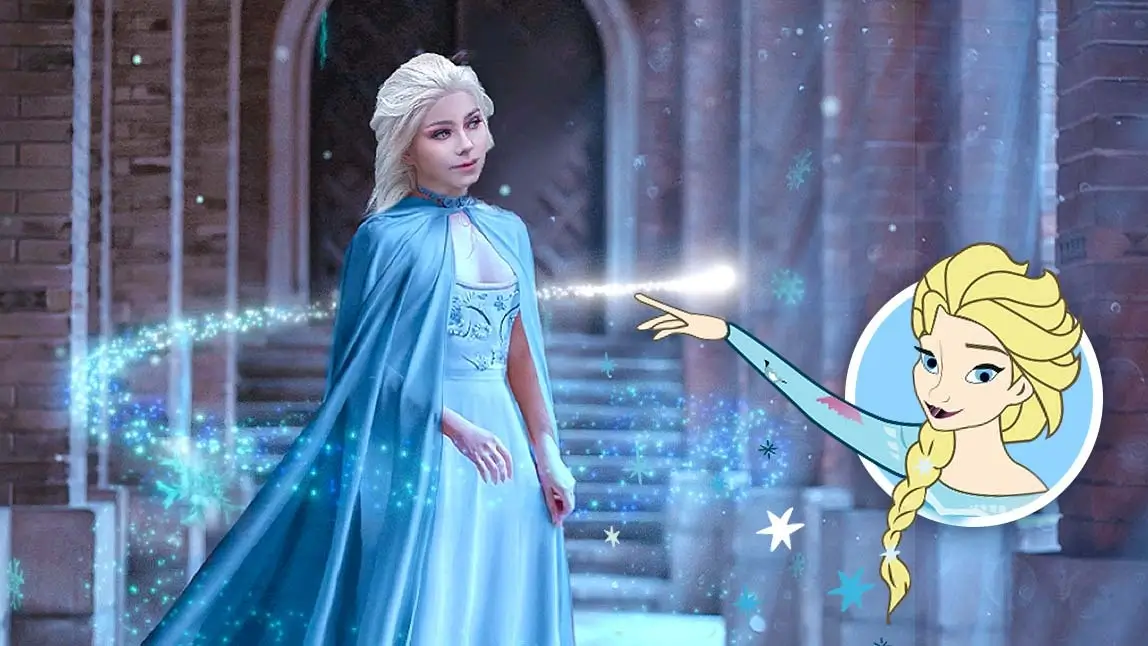
A dream is a wish your heart makes … at least, that’s what the lyrics to a very famous Disney tune have us believe. We’re inclined to follow that mantra, especially when it comes to transforming ourselves into real-life Disney princesses .
In the modern world, it’s not just a dream — it’s a reality, thanks to the best DIsney princess filter app, YouCam Perfect, that helps make your vision come true with dreamy photo effects.
Why Use a Princess Editor?

Here’s why people love using a princess editor:
- Instant transformation: Instantly turn your everyday photo into a fairytale-inspired princess portrait — no costume required.
- Social media ready: Princess-style images and videos are eye-catching and highly shareable on platforms like Instagram, TikTok, and Facebook.
- No design skills needed: You don’t need professional editing experience. The princess editor’s AI automatically applies beautiful styles and effects for you.
- Perfect for content creators: Add a whimsical, polished, high-quality aesthetic to your content and stand out in crowded feeds.
- Customizable styles: Many princess editor tools let you choose different aesthetics — from classic fairytale elegance to modern fantasy, anime-inspired royalty, and more.
What Would I Look Like as a Disney Princess?
For anyone who wants full creative control over their princess transformation, the Image-to-Image feature in YouCam Perfect is a game-changer. Unlike preset filters, this feature lets you guide the AI with custom prompts, backgrounds, and magical effects while keeping your facial features recognizable.
Step 1: Select Image-to-Image

Best AI Photo Editor
The Best AI Photo Editor & Selfie Camera.
Remove objects, apply filters & more.
Open the YouCam Perfect app, and choose Image-to-Image.
Step 2: Upload Your Photo
Choose a clear, well-lit selfie for the best results. Front-facing photos with neutral expressions work best for AI transformations.

Step 3: Enter Your Prompt
Type in a creative prompt describing the princess style you want. For example:
- “Turn me into a Disney princess wearing a sparkling blue gown in a fantasy castle”
- “Elegant ice princess with glowing snow effects”
- “Warrior princess with flowing red cape and magical fire”
Pro Tip: Include details like hair color, dress style, magical elements, or background type to guide the AI for a more personalized result.
Step 4: Tap Generate and Save
Once you submit your prompt, the AI will process your photo and produce a high-quality princess transformation. Review the image and save it to your device.

Step 5: (Optional) Use Image-to-Video to Animate
Bring your princess portrait to life by using Image-to-Video feature.
Add Disney Effects to Photos with Princess Editor
The app features five incredible photo effects that do all of the hard work for you — no actual costumes or professional-level photo editing skills needed. Here’s the lowdown, princess. Let’s get inspired with Disney effects and editing tips!
- Princess Elsa: Magic Frozen Effect
- Princess Jasmine: Moon Effect
- Princess Ariel: Bubbles Effect
- Princess Pocahontas: Misty Effect
- Fearless Mulan: Fire Photo Effect
Princess Filter 1. Elsa: Magic Frozen Effect

Let it go? Not so fast, queen. If you’ve got visions of Elsa dancing through your head, hold them close. Using YouCam Perfect, you can turn yourself into the stunning ice princess you know you are.
The star of Disney’s Frozen is a vision in her ethereal blue gown and chunky white-blonde braid strewn delicately over a shoulder. Alongside Elsa, ice is the star of this show. To make your image more Elsa-like, follow these steps:
- Download the YouCam Perfect app
- Click Edit
- Tap Animation
- Select Wraparounds
- Choose the Ice effect
Love the look of a snowy backdrop? Tap Weather under the Effects menu in Animation and add realistic snow effects to your image. Adjust the speed of the snowfall and select whether you’d like it to accumulate or not. The effect is dazzling and also very Elsa.
Read more: How to Add Snow to Photo with Snow Filter
Princess Filter 2. Jasmine: Moon Effect

Aladdin’s Jasmine reigns in her bright turquoise harem pants and matching crop top. It’s the iconic outfit that people instantly link to the 1992 hit animated film — and with good reason. Whether or not you’ve got your Jasmine costume ready, you can still make like the princess herself by following these easy directions:
- Click Edit
- Tap Animation
- Select Effects
- Choose the Moon effect under the Light menu
With its starry night sky and full moon, the animation transforms your image into a genuine Disney masterpiece that will have you feeling like the glamorous leading princess in no time. What more could you ask of a picture?
Read more: Sparkle Effect: How to Add Sparkle to Photos for Free
Princess Filter 3. Ariel: Bubbles Effect

Going under the sea is surprisingly easy when you have a Disney character app at your disposal. Now you can make your childhood fantasy a reality by transforming your picture into Ariel from The Little Mermaid. A mermaid costume is a pretty good idea if you can swing it, but even without the clothes you’ve got yourself a decent replica when you follow these steps:
- Click Edit
- Tap Animation
- Select Effects
- Choose the Bubbles effect under the Summer menu
Little bubbles and gently lapping waves make this an especially cool and effective animation that lends your image that aquatic finishing touch that’s worthy of a second look.
Princess Filter 4. Pocahontas: Misty Effect

When it was released in 1995, Pocahontas broke some barriers, namely because it was the first Disney animated film to feature a woman of color.
While the movie didn’t depict historical events as they happened, it was also the first Disney film to tell a story rooted in history. If you want to honor the character, it’s easy to do so with YouCam Perfect.
- Click Edit
- Tap Animation
- Select Effects
- Choose the Fog effect under the Weather menu
Speed up the fog to lend your picture that truly misty finish, or take a more subtle approach with a slow fog that adds a haunting finishing touch to your image.
Princess Filter 5. Mulan: Fire Photo Effect

Mulan is championed for her strength, outspokenness, courage, and resilience. She’s the antithesis of the typical Disney princess, making her a true icon in her own right. You can honor that fiery character and robust zest for life by using specialized photo effects to lend a touch of her spirit to your image.
- Click Edit
- Tap Animation
- Select Effects
- Choose the Fire effect under the Art menu to transform yourself into the fearless warrior
The flames can be as fast or as slow as you like thanks to the adjustment bar on the app — you’ll love the way it adds a fierce finish to your picture.
Related Posts
- Free Photo Filter App: Explore 600+ Filters for Your Photos
- Anime Yourself: What Would I Look Like as an Anime Character
- How to Add Stickers to Photos on iPhone for Free
- How to Add a Picture to a Picture for Free
Subscribe to our YouTube channel, and follow us on Instagram to get more creative editing ideas and awesome selfie tips!
Best Princess Editor to Turn Yourself Into a Disney Character
Best AI Photo Editor
The Best AI Photo Editor & Selfie Camera.
Remove objects, apply filters & more.
You’ve always wondered if there was a turn-yourself-into-a-Disney-princess app. It turns out there is! Head to the App Store or Google Play to download YouCam Perfect for free and explore tons of editing tools in the app and get inspired by our photo effects to make you look like a Disney character in your photo!