Author:


In today’s digital world, photos play a huge role in our lives—whether it’s for a professional profile, social media, or capturing precious memories. Naturally, we want every photo to look its best.
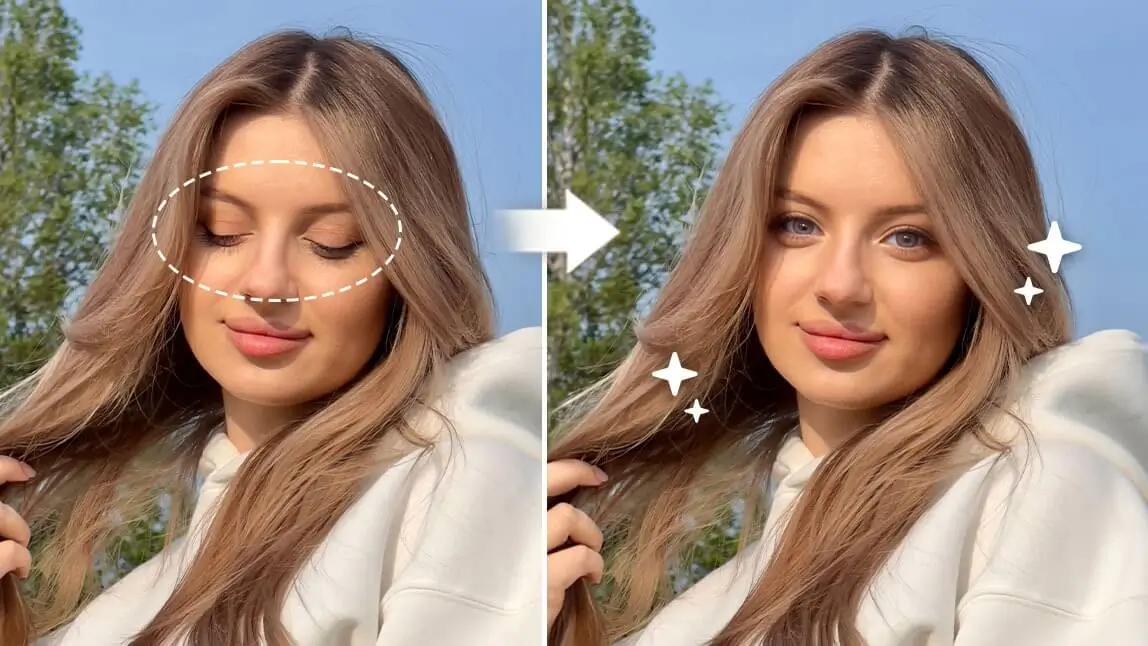
But there’s one common problem almost everyone faces: closed eyes from blinking at the wrong moment. A perfect shot can be ruined in seconds. The good news? You don’t need to retake the photo.
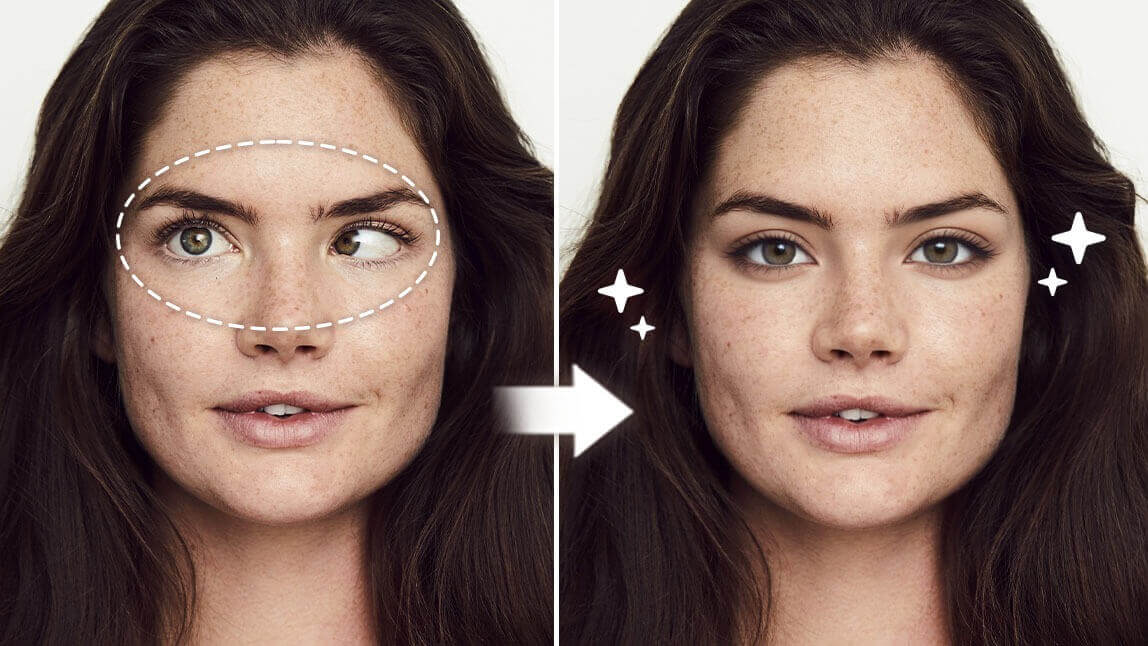
With YouCam Perfect, you can open eyes in a photo using AI for free, creating natural, realistic results in just a few taps.
Best App to Open Closed Eyes in Photos
Blinking is natural—and unpredictable. Unfortunately, cameras don’t always catch us at the right moment.
That’s why AI-powered photo editors like YouCam Perfect are essential. Using advanced generative fill AI technology, the app can seamlessly replace closed eyes with open ones—while keeping facial features natural and consistent.

How to Fix Closed Eyes in a Photo In 3 Easy Steps
Step 1. Upload a Photo
First things first, get a free app like YouCam Perfect on your phone to open your eyes to photos, which saves you the trouble of retaking photos.
Step 2. Use "AI Retake" to Open Your Eyes

Step 3. Save the Photo

Other than fixing closed eyes in pictures, you can also replace hair, sunglasses, or any objects that accidentally cover your face using the AI Replace feature.
As you're satisfied with the edits, please save it to your camera roll!
Read more: 6 More Ways to Edit Eyes in Photos Naturally
More Than Just Opening Eyes in Photos
In addition to fixing closed eyes, YouCam Perfect offers other AI-powered face editing tools:
- Replace hair covering your eyes
- Remove or replace sunglasses
- Fix objects blocking your face
- Smooth and enhance facial details naturally
All edits are fast, beginner-friendly, and realistic.
How to Open Eyes in Photo Online for Free
In case you are looking for an online tool to fix closed eyes in a photo, then we'd recommend you use YouCam Online Editor to do the tricks.

YouCam Online Editor features the same generative fill technology as YouCam Perfect. Simply upload a photo with closed eyes to the site, use the free credits to edit it, and you'll get results that look so natural, it’s hard to spot any signs of editing.
Why Use YouCam Perfect to Fix Closed Eyes in a Photo?

When it comes to fixing a bad selfie, YouCam Perfect is one of your best options for these main reasons:
#1 Powerful Generative Fill Technology

With the "AI Replace" feature, you can easily fix any issues with your selfie in just a few taps. Whether it's hair covering your eyes or sunglasses getting in the way, the generative fill technology helps you adjust and perfect anything that doesn’t look quite right.

You can upload your bad selfie and find "AI Replace" feature. All you need to do is use a brush to paint over the object you wish to change, and type in the prompt. AI will do the rest for you!
#2 Zero Editing Skills Required
The best thing about the "AI Retake" tool is that you don’t need any editing skills at all. Just upload a good selfie of yours, and let the AI handle the rest of the picture editing for you.

Try It Yourself: Open Eyes in Photos Instantly
If blinking has ever ruined a great photo, there’s no need to stress—or reshoot.
With YouCam Perfect, you can easily learn how to open eyes in a photo with AI and turn imperfect shots into flawless memories. Whether it’s a family photo, selfie, or professional profile picture, YouCam Perfect makes fixing closed eyes quick, simple, and realistic.
✨ Download YouCam Perfect today and never let a blink ruin your favorite photo again.