


 Author:


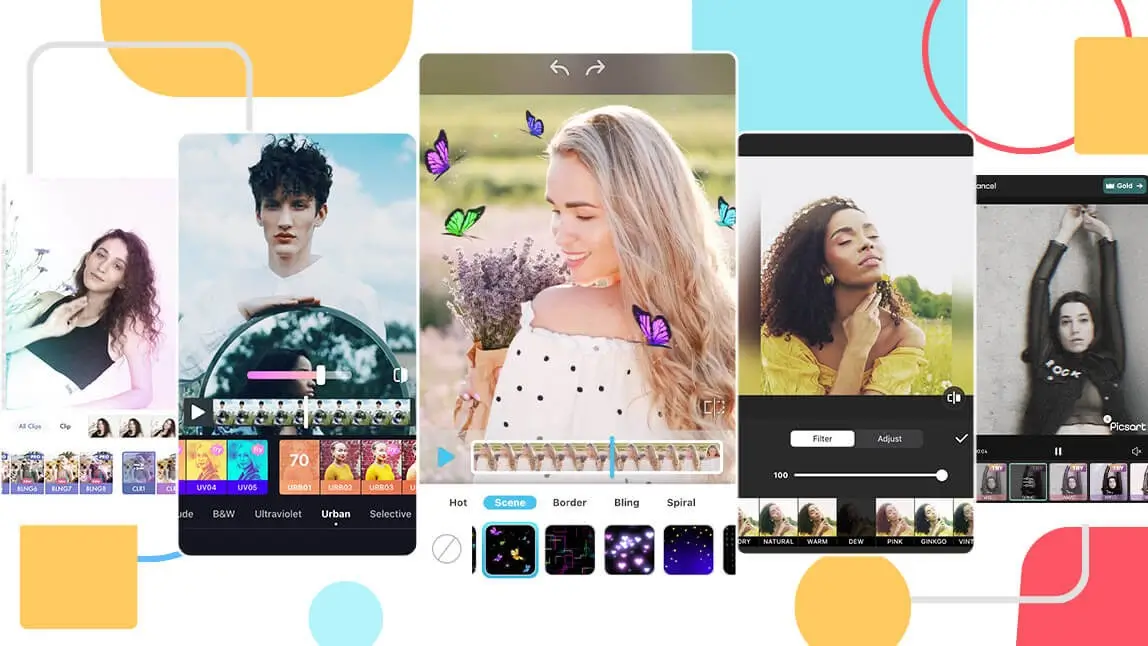
Videos of all sorts are completely blowing up social media these days, whether it’s TikTok videos, Instagram reels, or YouTube shorts.
But we can’t just stop at creating simple videos. The name of the game now is filtering those videos with a video filter of your choosing.
Read on to learn about the top 10 best video filter apps available for iPhone and Android, and how you can add filters and effects to your videos easily.
| Table of Contents |
|---|
11 Best Free Video Filter Apps for iPhone and Android in 2026
A good video filter app should offer multiple filter options, and better with free templates for users to try before committing.
Aside from overall filters, it will also be a plus if have face filters like makeup or retouch options as well.
Read on to discover all the top picks for iOS and Android in 2026.
YouCam Video: Best All-In-One Video Filter App
The app that tops the list when it comes to video filtering is YouCam Video, one of the best AI video filter app for iPhone and Android in 2026.
Shared Materials by Strapi
*Adjust the size of images ONLY. Please go to Strapi to edit the materials info.
Top Features of YouCam Video:
✔️ All-in-one filter app
✔️ Cute "AI Cartoon" video filters
✔️ Natural-looking face filters
✔️ Huge selection of makeup looks
✔️ Smart AI auto-detects your face
The app that tops the list when it comes to video filtering is YouCam Video, one of the best AI video filter app for iPhone and Android in 2026.
YouCam Video’s advantage over similar video filter apps is its wide range of features and tools.
"Although I give this app a five-star. I really wish they would come up with something when there are more than one person in the video." — Aliethia Blake, 5-star Google Play review
"ALL the AI effects make the video lag so far behind the sound that they are unusable." — Divalicious Candi, 3-star App Store review
It offers 200+ aesthetic animated video filters, something you won’t see available for free in other apps.
▲ Cartoonize Yourself With "AI Cartoon" Video Filters
Whether you want something subtle or dramatic - YouCam Video has got all kinds of filter options to fit your theme, whether it's a statement of Barbie Aesthetics or cute sparkles.
It is an easy way for anyone looking for an accessible way to add video filters or other effects without needing any professional editing skills or knowledge.
It is also to best video face filter app to add makeup to your videos.
Aside from makeup looks, you can also add lip color, eyelashes, contour, and more to your videos!
Another great feature of the YouCam Video app is its advanced editing.
You can do simple things like editing the brightness, but also more in-depth edits like face shape editing, teeth whitening, and blemish removal.
Overall, YouCam Video is one of the best all-in-one video editor apps to add video filters, from beautifying ones to overall aesthetics.
Filto: Best for Aesthetic Video Filters

- Available: iOS / Android
- Rating: 4.7 / 3.1
Another option for a video filtering app is called Filto. With over 150,000 reviews on the iOS app store and a 4.7 rating, it’s a solid option.
It’s also available on the Google Play store, so all device users can access it. The app is free, although its focus is more on filtering than anything else, so its features are a bit more limited than the others on this list.
Prequel: Best for Vintage Video Filters

- Available: iOS / Android
- Rating: 4.7 / 4.2
The Prequel app, available on the Apple iOS store, is another good choice for filtering your videos. It has a 4.7-star rating with over 274,000 reviews, so you know it has been well-tested by others.
Its basic edits are free, but you’ll have to fork over some money for its more advanced editing tool kit, which comes standard and for free with some of the other apps.
CapCut: Best for Trendy TikTok Video Filters

- Available: iOS / Android
- Rating: 4.7 / 4.3
It’s not just fun to say — CapCut is a great option for your video editing needs. It’s available for both iOS and Android, although it leans more heavily on the Google side with a 4.3 rating and over 3 million reviews. Yes, 3 million!
CapCut is feature-packed, which is a good thing, although it could be too advanced for more novice editors.
VSCO: Best Video and Photo Filter App

- Available: iOS / Android
- Rating: 4.4 / 3.3
Unless you recently joined social media, you likely know the name VSCO.
This app, available for both iOS & Android, became so popular that it even inspired its own trend of “VSCO girls.” It’s on both the Apple iOS store and the Google Play store and boasts over 1 million combined reviews and a 3.3 rating.
This app offers both video and photo editing, although it caters a bit more to the still photo side of things.
InShot: Best for Video Filtering and Editing

- Available: iOS / Android
- Rating: 4.9 / 4.8
For those who are looking for something a bit more advanced, InShot is a great choice for you! It’s available for both Android & iOS, with over 14 million reviews and a 4.9 rating.
It offers great features like transition effects, background blurring, and much more.
Funimate: Best for Creative Video Filters

- Available: iOS / Android
- Rating: 4.7 / 4.4
If you’re wanting to make some fun looping videos, Funimate is the app for you, whether you’re using an iOS or Android device. It has over 600,000 reviews on the App Store alone, so you know it’s legit, and the 4.7 rating doesn’t hurt either.
With Funimate, users can not only apply video filters but also add cool transitions, thousands of video backgrounds, slow-motion effects, and more.
Videoleap: Best for AI Video Filters

- Available: iOS / Android
- Rating: 4.6 / 4.4
Videoleap, available for both iOS & Android is a great option for beginner video editors. It has over 70,000 reviews on the App Store, with a pretty good 4.6 rating.
You can apply artistic effects, mix videos with images, and even add text and layer transformations to your videos without any advanced knowledge.
PicsArt: Best for Artistic Video Filters

- Available: iOS / Android
- Rating: 4.7 / 4.0
Next up is PicsArt, which calls itself the largest all-in-one creative platform for photos, video editing, and design tools. You can access the app for both iOS & Android, and its 700,000 reviews and 4.7 rating prove that it’s well-liked.
Because it offers features for so many creative endeavors it’s really a one-stop-shop.
Facetune Editor: Best for Atmospheric Video Filters

- Available: iOS / Android
- Rating: 4.6 / 4.3
Last but not least is Facetune Editor!
This app focuses on portrait and selfie editing and offers easy-to-use face retouch filters, which can remove blemishes on the face, brighten your teeth, and smooth your skin in videos with an easy tap.
Summary Table
| 11 Best Video Filter Apps | Rating (iOS/And.) | Best for |
| YouCam Video | 4.8 / 4.3 | Best All-In-One Video Filter App |
| Filto | 4.7 / 3.1 | Best for Aesthetic Video Filters |
| Prequel | 4.7 / 4.2 | Best for Vintage Video Filters |
| CapCut | 4.7 / 4.3 | Best for Trendy TikTok Video Filters |
| VSCO | 4.4 / 3.3 | Best Video and Photo Filter App |
| InShot | 4.9 / 4.8 | Best for Video Filtering and Editing |
| Funimate | 4.7 / 4.4 | Best for Creative Video Filters |
| Videoleap | 4.6 / 4.4 | Best for AI Video Filters |
| PicsArt | 4.7 / 4.0 | Best for Artistic Video Filters |
| Facetune | 4.6 / 4.3 | Best for Atmospheric Video Filters |
| VN Video Editor | 4.8 / 4.6 | Best for Cinematic LUT Filters & Color Grading |
VN Video Editor: Best for Cinematic LUT Filters & Color Grading
- Available: iOS / Android
- Rating: 4.8 / 4.6
VN Video Editor is a free, cross-platform video editor built around a dedicated Filters tool with support for importing custom LUTs, so you can apply the same cinematic color grades professional editors use directly on mobile.
Beyond filters, VN also offers beat-editing and audio waveform sync, making it a strong pick for anyone who wants filtered footage that's also cut and timed cleanly. It's earned a large, genuinely active user base, with a 4.8 rating on the App Store (around 314,000 ratings) and a 4.6 rating on Google Play (over 5.3 million reviews) — among the highest review counts of any app on this list.
How to Add Video Filters With the Best Video Filter App
- Download the Best Video Filter App
- Upload Your Video
- Add Video Filters
- Add Face Filters to Videos
- Save the Video
Putting a filter on a video can be easy with the right video filter apps. Read on to learn the simple steps to do it yourself.
Download the Best Video Filter App
Shared Materials by Strapi
*Adjust the size of images ONLY. Please go to Strapi to edit the materials info.
Download the YouCam Video app to get started on adding a filter to your video of choice.
It’s available on both iOS and Android, so you can use it on a multitude of devices.
Upload Your Video
When you’re in the app, tap the + to upload the video you wish to add a filter to.
Add Video Filters
Next, scroll to find Filters to try on various video filters, from classic black and white to aesthetic vibes.
You can also add a cool video effect by scrolling to the AI Effects category.
Add Face Filters for Videos
To add even more flair to your video, consider adding a new makeup look using the tools in the Makeup section.
You can also try retouching your video with skin smoother, teeth whitener, face shaper, and more, all available in the Retouch category.
Save the Video
Once you’ve filtered your video to your liking there’s only one step left — export the video and share it to TikTok, Instagram, or your other favorite social media platform!
Download YouCam Video: The Best Video Filter App in 2026
Shared Materials by Strapi
*Adjust the size of images ONLY. Please go to Strapi to edit the materials info.
Now that you know all about the apps that you can use for video filters, you’re ready to start using one yourself!
While there are many great options, the YouCam Video app is a great place to start thanks to its easy-to-use design, and a multitude of features.
To do so, simply download the free app for iOS or Android app now to get started.
More Video Filter Ideas
- How to Cartoonize a Video With the Best AI Video Cartoonizer
- How to add VHS Video Filters to My Video?
- How to Create Wes Anderson Style Videos With a Video Filter App
Video Filter FAQ
What is the best app for video filters?
While there are many great apps available for video filters, YouCam Video is the superior choice.
It’s free to download, easy to use, and loaded with hundreds of filter options for you to edit videos easily.
How do I edit the video filter on my iPhone for free?
YouCam Video is the best app for adding video filters, and even better, it’s free!
- Download the free YouCam Video app
- Upload your video
- Find the Filters category and try 250+ video filters
- Save the video
Is there an app to smooth skin in video editing?
YouCam Video is the best skin-smoothing video app for iPhone and Android in 2026.
With the YouCam Video app's skin smooth filter, users can adjust the intensity of skin smoother freely with a slide bar. The app will automatically detect the face area, so no manual editing is needed.
Furthermore, the YouCam Video app supports multi-face detection, so you can smooth the skin for more than one person with the app at the same time!
Try 200+ Video Filters With the Best Vidoe Filter App
Shared Materials by Strapi
*Adjust the size of images ONLY. Please go to Strapi to edit the materials info.
Want to know more about the latest video filter trends?
Subscribe to the YouCam YouTube channel and follow us on Instagram for the hottest beauty, makeup, and skincare trends.


