Author:


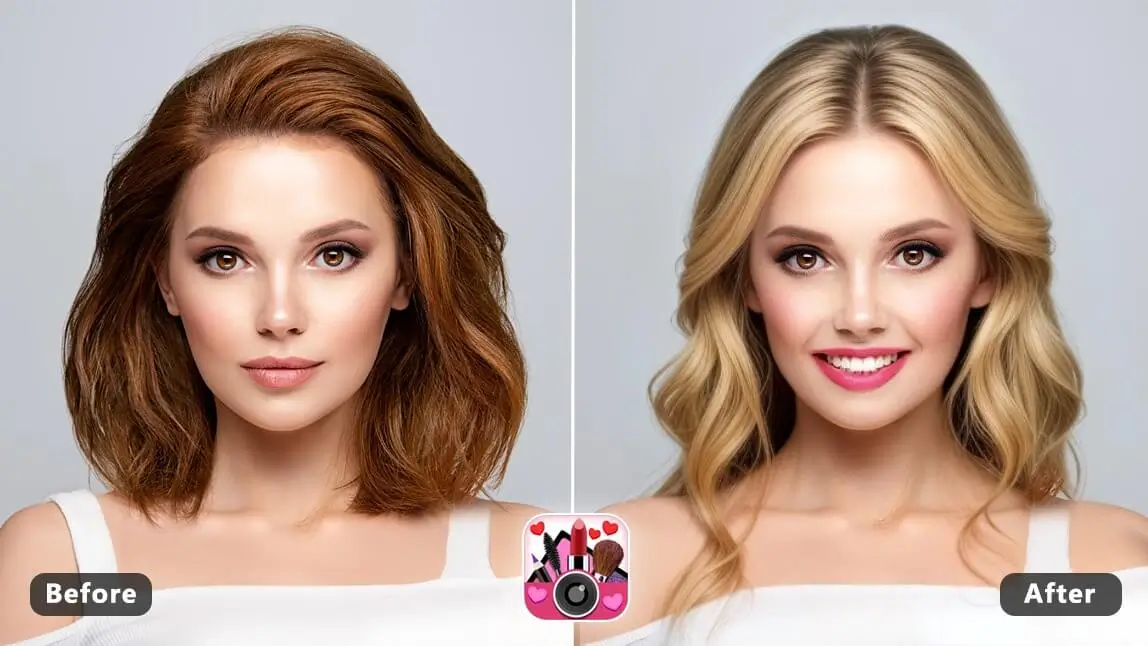
Step into the world of AI photo editing with YouCam Makeup – the ultimate AI face editor.
Whether you're a pro or just starting out, get ready to explore endless ways to enhance your photos and express yourself like never before with YouCam Makeup.
We put six of its core AI tools to the test firsthand — from the expression and hairstyle changers to the newly launched AI Beauty Agent — and share what actually worked, and what to watch for, below.
YouCam Makeup: Best AI Photo Editor in 2026
In 2026, YouCam Makeup stands out as a top-notch AI photo editor.
You can easily change expressions and faces in photos, as well as experiment with hairstyles, reshape faces, and more.
Plus, YouCam Makeup is free to download, making it accessible to everyone looking to enhance their photos with AI.
| AI Face Editing Tools in YouCam Makeup |
|---|
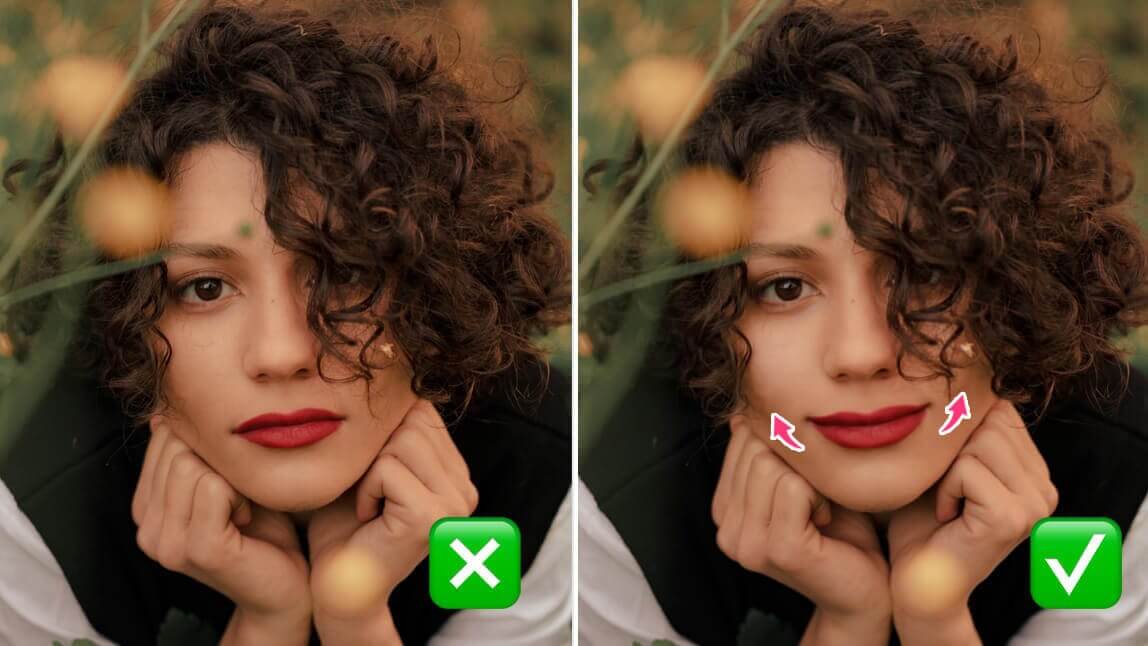
AI Expression Changer: Add Smiles to Faces

With YouCam Makeup's AI expression changer tool "Smile", you have the power to effortlessly add a smile to any photo. Bid farewell to awkward expressions and enhance the positivity in your images with a simple tap.
Testing note: this works best on photos where the mouth is at least partly visible and not turned too far from the camera — on a strong side-profile shot, the added smile can look slightly less natural.
Read more: Photo Smile Editor: How to Edit Smile in Pictures
AI Face Filters: Reshape, Retouch & Makeup

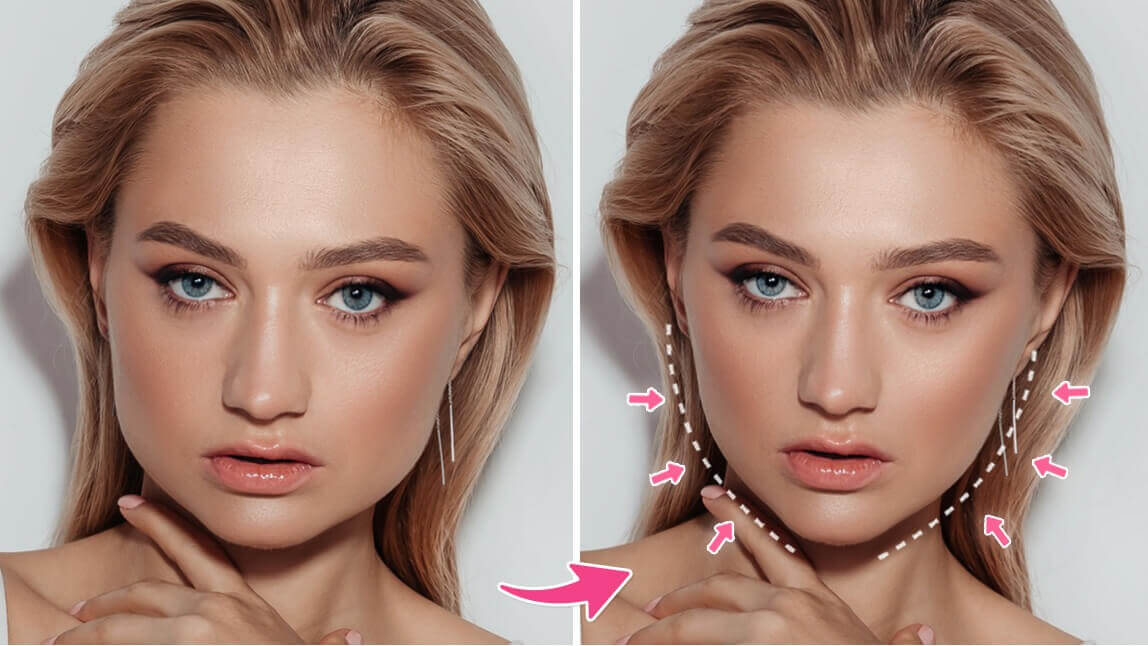
Elevate your selfie game with YouCam Makeup's AI face filters and beauty filters. Reshape your facial features for a flawless look and experiment with virtual makeup and retouch tools to enhance your natural beauty.
Real user feedback backs this up: App Store reviewer AngKostre (5★) said it's "the only makeup app that I've seen that lets you apply makeup accurately no matter what angle your face is in the photos," and ZEE1251 (5★) noted the retouch tools "rival professional studio standards." Katieiskool24 (5★) was mostly positive too, but flagged that results can be less accurate "if your face isn't in a pretty straight way" — worth keeping in mind on an angled shot.
Read more: AI Wrinkle Remover: How To Remove Wrinkles From Photos
AI Photo Studio: AI Face Swaps

YouCam Makeup introduces a new level of creativity with its AI Photo Studio tool for the most realistic AI face swap. Seamlessly blend faces with photo studio quality images that make you feel like the cover model of a fashion magazine.
The intuitive interface makes face swapping a breeze, ensuring that you can have fun with your photos and explore the endless possibilities of digital transformation.
Testing note: results are most convincing when the source and target faces are shot at a similar angle and lighting — a big lighting mismatch is the main giveaway on an otherwise clean swap.
App Store reviewer Sgtcyndi (5★) called the results "so fun and realistic," while Brittany Medlin (1★) reported the free version limits how many swaps you can try before it asks you to subscribe — worth knowing going in if you plan to experiment with several photos.
AI Hairstyle & Hair Color Changer

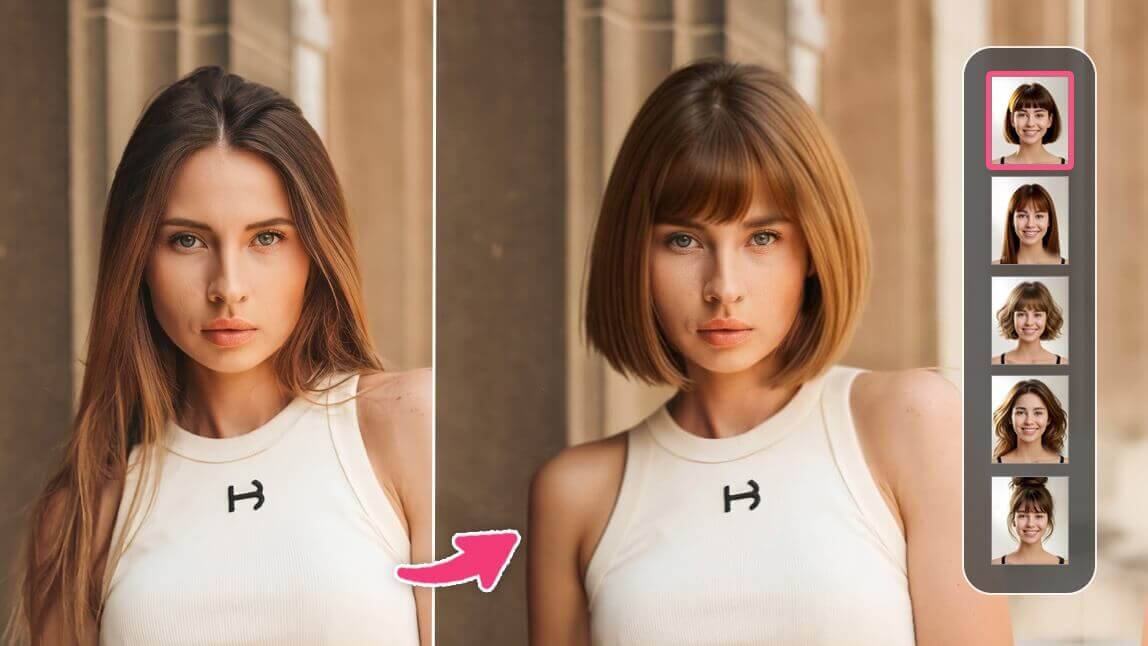
YouCam Makeup's AI hairstyle changing tool empower you to virtually try out different hairstyles, from classic cuts to trendy options.
Find the perfect match for your face shape and explore various hair colors without the commitment.
Testing note: full cuts and colors preview more reliably than very short bangs or a wet-look styled finish, which are harder for any AI to judge from a single reference photo.
New as of the app's version 6.46.0 update: the AI Hairstyle tool now supports previewing a cut using your own natural hair shade instead of only the reference photo's color, for a more realistic preview.
Read More:
- Try On Hairstyles: Free AI Hairstyle Changer On Photo
- Hair Color Try On: How to Try Hair Color Filters
AI Aging Filter: Peek into the Future

Curious about how you might look in the future? YouCam Makeup's AI Aging Filter lets you take a glimpse into the years ahead. Witness the subtle changes in your appearance and embrace the beauty of aging gracefully.
This fun and intriguing feature allow you to playfully explore the aging process, creating entertaining visuals that add a touch of humor to your photos.
Testing note: the preview reads most convincingly on well-lit, front-facing photos with a neutral expression — heavy makeup or dramatic lighting in the original photo can throw off how natural the aged result looks.
Read More: AI Aging Filter: See What You Will Look Like When You're Older
AI Beauty Agent: Your Personal AI Stylist
Launched in November 2025, YouCam Makeup's AI Beauty Agent takes a different approach from the tap-through tools above: instead of navigating menus, you simply describe what you want in natural conversation, and the agent handles the rest. According to press coverage of the launch, the agent can analyze your skin tone and undertone, recommend a cosmetic look or hairstyle based on your face shape and the occasion you describe, and let you virtually try on eyewear, jewelry, and piercings — all through conversation rather than manual selection.
First impression: since this is a newly launched feature, we don't have months of use to draw on yet, but an initial run-through showed it correctly picking up on undertone and translating a vague request ("something for a summer wedding") into a specific, named look rather than a generic suggestion — a meaningfully different experience from selecting filters one at a time.
YouCam Makeup vs. Using Separate Single-Purpose Apps
| Approach | Best For |
|---|---|
| YouCam Makeup (all-in-one) | Anyone who wants expression, filter, face-swap, hairstyle, and styling-advice tools in one app without juggling logins or exports between apps |
| 5 separate single-purpose apps | Users who already have a favorite dedicated app for one specific task and don't mind exporting and re-importing photos between apps |
YouCam Makeup: Best AI Face Editor in 2026

YouCam Makeup stands out as the ultimate AI face editor, offering a seamless blend of innovation and creativity.
Whether you're adding smiles, experimenting with unique face filters, transforming your hairstyle, or catching a sneak peek into the future, YouCam Makeup empowers you to curate a digital beauty journey that is uniquely yours!