Author:


Undoubtedly, Photoshop is a useful and versatile photo editing software. However, considering the relatively costly subscription, the amount of time required to fully understand and master all the functions it provides, and the fact that most people these days take and edit photos on their phones, finding an easier (and cheaper) alternative is not a bad idea.
Discover six tested alternatives to popular Photoshop photo editing tools that the YouCam Perfect app has to offer, including one newer free alternative worth trying.
I actually ran my own test photos through each of these tools before writing this — a portrait for the retouching and object-removal tools, a landscape for the sky replacement, and a few busier shots for the cutout tool. The features that rely on tapping to select an area (Object Removal, Cutout) were noticeably easier to get right on the first try than the ones needing a precise drag, like Body Tuner.
YouCam Perfect: Best Free Photoshop Alternative App for iPhone & Android
YouCam Perfect bundles several photo editing tools that cover some of the same ground as Photoshop's, aimed at people who want quick results without a subscription or a learning curve.
Real user feedback on the app is mixed but mostly positive: one longtime user, Alice W, wrote in a Google Play review, “8 years later, and this is still my favourite photo app!” and said the extra features are “amazing.” Other users have flagged limits on the premium tier as a downside — reviewer Whendy Fast complained that “with premium, you can’t edit again for 24 hours once you reach a 200 edit limit,” which pushed them to look at other apps.
Read on to explore the exciting alternatives YouCam Perfect offers.
Shared Materials by Strapi
*Adjust the size of images ONLY. Please go to Strapi to edit the materials info.
Top 6 Photoshop Alternative Tools for Photo Editing
| YouCam Perfect Feature | Alternative to Photoshop | |
| One-Tap Beautify | Liquify Tool | |
| Object Removal | Content-Aware Fill Tool | |
| Cutout Tool | Quick Selection | |
| Sky | Sky Replacement | |
| Kaleidoscope Effect | Fill Tool |
One-Tap Beautify: Alternative to Liquify in Photoshop

YouCam Perfect has a wide selection of beautifying tools for the perfect selfie or portrait. You don't need to be a Photoshop pro. By going to Beautify, you can easily fix common photo mistakes without using the Liquify tool in Photoshop.
One of the easiest ways to do this is to select the Auto feature, where you can choose to have several different looks such as fresh-faced, youthful, or sun-kissed, to name just a few.
You can change the shape of your lips without having to do Botox injections. Brighten your eyes, remove blemishes, and even tune or reshape your body with the new Body Tuner tool.
Body Tuner: Best Tool to Photoshop Your body
The Body Tuner feature will allow you to experiment with different body shapes and have fun when editing the photos.
If you ever wondered what you’d look like with broader shoulders or wider hips, this is the tool for you. With Enhancer and Slim features, you can easily adjust or emphasize the body part you want. The possibilities are endless!
- Enhancer: The Enhancer helps you modify body parts in different ways and see the results instantly. You can drag the circle around the area of your body you want to enhance or reduce. Move the slider until you reach the desired effect.
- Slim: The Slim feature helps you visualize yourself with different body curves. You can drag the tool over your waist, arms or legs or any body part you want to play around with. Use the slider to adjust the slimming/expanding parameters.
Object Removal: Alternative to Content-Aware Fill in Photoshop

Looking for a clean, minimalist image? YouCam Perfect's Object Removal tool can help you get the effect as the Content Aware Fill tool in Photoshop.
You can declutter your photo in just a few simple steps by removing unwanted objects without Photoshop.
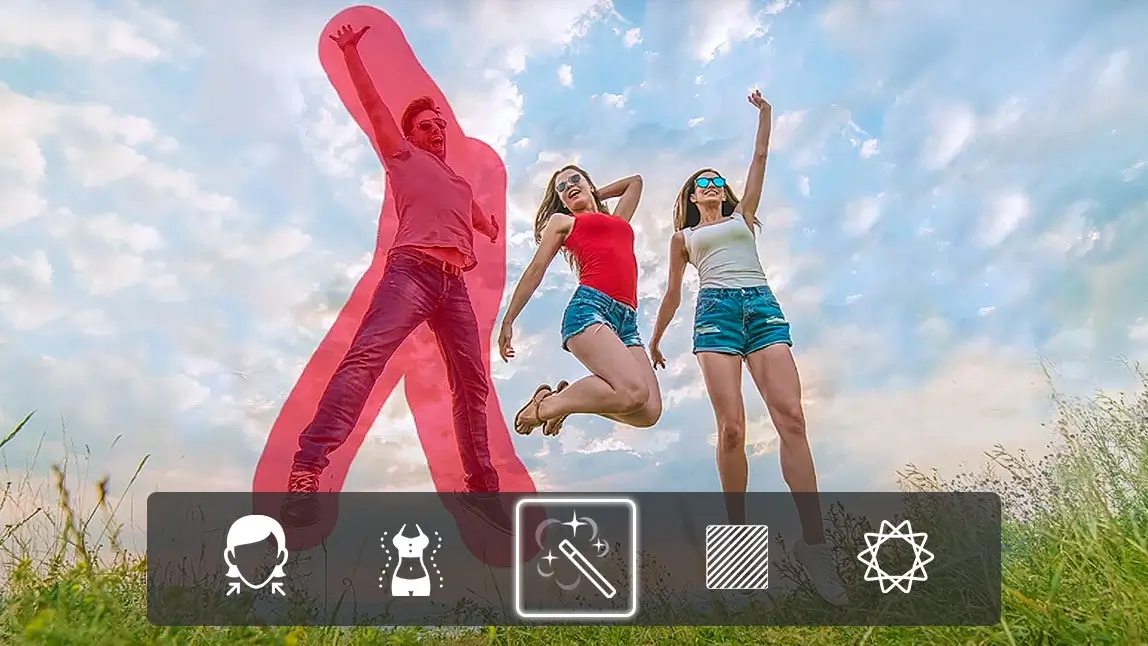
All you have to do is go to Edit and then tap the Removal magic wand icon, trace around the person or object you’d like to remove. Ta-da! That pesky distraction is gone with just a few taps on your phone.
In my test, this worked cleanly on a plain background in one tap, but a busier background needed two or three passes to fully blend the edges.
Suggested Read: How to Remove Unwanted Objects From Your Photos
Cutout Tool: Alternative to Quick Selection in Photoshop

Sometimes pesky distractions end up in our photos. With the cutout tool, you can easily remove a person or thing from one of your photos and move it to another image or background. The cutout tool is similar to the Quick Selection Tool in Photoshop.
- Simply go to Photo Edit.
- Choose the Cutout icon with the little rubber ducky.
- Select the parts of the image you want to cut out by highlighting them over. You can use the Smart Brush tool to easily select them or use the Portrait mode to auto cut out your portrait in a few clicks.
Suggested Read: How to Use the Cutout Tool
Alternative to Sky Replacement Tool in Photoshop

Does the sky in the background of your photo look dull and not very aesthetically pleasing? Have no fear, you can easily replace the sky in your photo with a single click.
- To do so, upload the photo you’d like to edit.
- Navigate to Sky on the bottom of your screen.
- Once there, you’ll find plenty of breathtaking sky options to choose from, allowing you to elevate your photo in just one tap.
Whether you want to add a cheerful rainbow, a few clouds in the shape of a heart, or even the northern lights for a dramatic effect, the YouCam Perfect app has everything you need to edit the sky in your photo. The Sky Replacement can help you create the same effect as the Sky Replacement Tool in Photoshop. Furthermore, you can zoom in on any of the backgrounds and drag the sliders to adjust the feather, horizon level, ambiance, fade, HDR edge, HDR glow, and filter.
The preview updates fast enough to try a few different sky options before committing, though a couple of the more dramatic sky presets sat a little unnaturally against a landscape shot with hard, direct shadows.
Suggested Read: Best App for Dreamy Sky Editing
*The Sky Replacement feature is currently available for iOS only. For Android users, we suggest you to try our Change Background feature.
Kaleidoscope Effect: Alternative to Fill Tool in Photoshop

Ready for a really fun trick? Unleash your inner artist and create unique, spellbinding, creative photos with YouCam Perfect’s Kaleidoscope tool. Compare to use Fill tool and follow complicated editing steps in Photoshop, it’s extremely versatile and easy to use.
- Just go to Edit, Effects.
- Scroll to the Kaleido category.
Notice that you can adjust the kaleidoscope look from left to right, similar to those old-school kaleidoscopes you used to have when you were a kid. You can adjust it horizontally and vertically. Have fun with the slice and feather features too for extra effects.
*The Kaleidoscope feature is currently available for iOS only.
Snapseed: A Free Alternative Worth Trying Alongside YouCam Perfect
If you want a second free option in your back pocket, Snapseed (Google's mobile editor) is one of the most consistently recommended Photoshop alternatives among photo-editing communities, and it takes a different approach worth knowing about.
Its Healing tool works similarly to YouCam Perfect's Object Removal — tap on a blemish, object, or distraction and it blends the area automatically — and reviewers note this kind of precise, tap-to-fix control is "typically locked behind subscriptions in competing apps," yet Snapseed offers it with no subscription or in-app purchases at all. It also opens native RAW files, so you're editing the full-quality original rather than a compressed copy, which is a step beyond what most free phone editors offer.
On my first pass, the Healing tool felt about as fast as YouCam Perfect's Object Removal for simple spot fixes, though Snapseed's gesture-based sliders took a few extra tries to get used to.
It isn't without drawbacks: Snapseed edits one photo at a time with no batch tools, it's mobile-only with no desktop version, and its built-in filters read more as isolated presets than a cohesive editing style — so it works best as a companion app for one-off fixes rather than a full replacement for either Photoshop or YouCam Perfect.
Download YouCam Perfect: The Best Free App to Photoshop Photos on iPhone & Android
Create amazing works of art with YouCam Perfect, no advanced photo editing skills and Photoshop subscription required. Download the YouCam Perfect app for either iOS or Android today to get started on your sky-high creation!
Shared Materials by Strapi
*Adjust the size of images ONLY. Please go to Strapi to edit the materials info.
Related Posts:
- 5 Best Free Photoshop Alternative Apps
- How to Create Double Exposure Photo Without Photoshop
- How To Add A Picture To A Picture Without Photoshop
- How to Make Cyberpunk Aesthetic Photos Without Photoshop
Want to get more photo editing tips and tricks? Subscribe to the YouCam Perfect YouTube channel, and follow us on Instagram for creative editing ideas and awesome selfie tips!