 Author:


If you're on the hunt for a great app to make your selfies stand out, BeautyPlus is a decent option. But let's face it, there are plenty of alternatives out there with killer features and filters — we tested six of the most popular ones firsthand to see which actually holds up.

So, which one is the best choice for you? In this article, we'll dig into the world of selfie editing and share hands-on impressions of 6 BeautyPlus alternative apps, including one newer pick worth a look.
We spent time testing several of these apps side by side on the same selfies to see how the results actually compare, not just how they're marketed — here's what stood out.
BeautyPlus Alternatives I Tested for iPhone and Android in 2026
YouCam Makeup: Retouch, Trendy Filters & Background Editing
Shared Materials by Strapi
*Adjust the size of images ONLY. Please go to Strapi to edit the materials info.
YouCam Makeup stands out as a top selfie editing app due to its wide range of tools for enhancing photos.
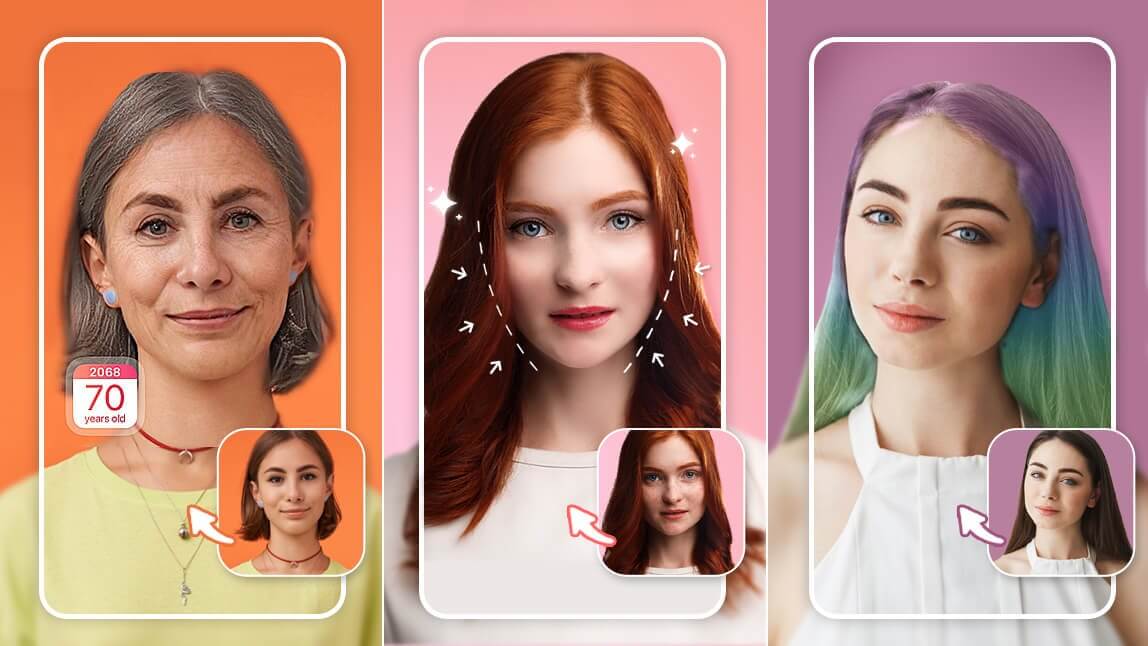
The app offers various makeup effects, face retouching and body editing tools, AI hairstyles and hair colors, fun face filters, advanced object removal features and background editing tools.
👉 Click here to read our full review.
Meitu: Beauty Filters & Collages
Meitu offers a variety of features including effects, beauty filters, collage-making options, and photo retouching tools.
In our testing, Meitu's beauty filters looked great in bright, even lighting, but we noticed the effect got noticeably heavier in dim indoor shots compared to YouCam Makeup's retouching, which held up more consistently across lighting conditions.
FaceLab: Retouch Filters & Hairstyles
FaceLab's best features include retouch and beard filters, cartoon filters and virtual hairstyles.
FaceLab's cartoon filters were fun to try, but we found the virtual hairstyle previews worked best on straight or wavy hair reference photos — curlier textures and very short cuts were harder to judge accurately from the in-app preview.
Perfect365: Makeup Filters & Background Editing
With Perfect365's makeup filters and background editing tools, you can upgrade any selfie!
Snow: Trendy Effects & Body Editing
With makeup filters, trendy effects, cute stickers and advanced body editing tools, Snow helps you to achieve the perfect selfie.
Snow's body editing tools were quick to use, though we found the effect easiest to control on close-up selfies; full-body shots took more fine-tuning to avoid an over-edited look.
Facetune: Precision Retouching & AI Headshots
Facetune has become one of the most talked-about names in this space, often positioned as the industry standard for detailed manual retouching, with tools for teeth, eyes, face reshaping and skin, plus AI Headshots that turn a selfie into a professional-style portrait.
We only had time for a first look at Facetune rather than the same depth of testing as the other five apps here, but the manual precision controls stood out immediately — it is built more for fine-tuning a single photo carefully than for quick filter-based edits. Its free tier is noticeably more limited than in past years, with most of the detailed tools sitting behind a VIP subscription.
YouCam Makeup - Best BeautyPlus Alternative in 2026
YouCam Makeup and BeautyPlus are both popular selfie editing apps that offer a variety of features to enhance your selfies. However, YouCam Makeup stands out as the best choice for several reasons.

One of the key features of YouCam Makeup is its advanced facial recognition technology, which allows you to apply virtual makeup more accurately in real-time to your selfies.
You can try on different makeup looks, hair colors, and even change your eye color using the app's AR-powered tools.

Before diving into each feature category, here is a quick side-by-side of where each of the 5 alternatives we tested actually shines:
| App | Best For |
|---|---|
| YouCam Makeup | Overall best BeautyPlus alternative — makeup, retouch & background editing in one app |
| Meitu | Bright, well-lit selfies and collage-style edits |
| FaceLab | Quick beard filters & cartoon-style effects |
| Perfect365 | Simple makeup try-on with background swaps |
| Snow | Playful stickers and trendy effects for close-up selfies |
Our verdict: if you only want to install one app instead of juggling several, YouCam Makeup covers the most ground, since it combines makeup try-on, retouching, and background editing without needing a second app for any of it.
YouCam Makeup vs. BeautyPlus: How the Features Compare
Both apps cover the same core ground: makeup try-on, retouch filters, AI cartoon effects, body editing, object removal and background editing. YouCam Makeup's toolset goes a bit deeper in each category (more shades and looks to try on, more precise object and background detection), while BeautyPlus keeps things simpler and leans more on quick, filter-based edits.

It's worth weighing that against how people actually describe using BeautyPlus day to day. On the App Store, one longtime user wrote: "I've been using this app (free version-only) for years and it has been my favorite app to use in editing, enhancing and creating beautiful memories." Others have been more frustrated by what now sits behind a paywall — one review put it bluntly: "paying to literally use one feature on the app to get rid of one little dot on the face is a bit ridiculous to me," noting that basic blemish removal used to be free.
That trade-off is worth keeping in mind with any of these apps, YouCam Makeup included: free tiers across this category have gotten narrower industry-wide, so it's worth checking what's actually included before assuming a feature is free.
How to Use the Best BeautyPlus Alternative App to Edit Your Selfies
- Download BeautyPlus Alternative
- Upload Your Photo for Selfie Editing
- Enhance Your Selfie with Tools
- Save and Share Your Perfect Selfie
Now that you know all about YouCam Makeup, you're probably wondering how to use this app to edit your selfies.
Here's a step-by-step guide to get you started:
Download the Best BeautyPlus Alternative App
Shared Materials by Strapi
*Adjust the size of images ONLY. Please go to Strapi to edit the materials info.
The first step is to download and install YouCam Makeup on your device. You can find this app in the App Store or Google Play Store.
Upload Your Photo for Selfie Editing

Once you've installed the app, open it and tap "Photo Edit". You can then start editing your selfie by using the app's various tools and filters.
One tip from testing this ourselves: apply retouch and makeup filters before background edits, not after — the background tool sometimes re-crops the image slightly, which can shift where a makeup filter lines up on your face.
Enhance Your Selfie with Filters and Tools


Experiment with different filters and tools to enhance your selfie. YouCam Makeup offers a range of options to apply AI cartoon filters, remove blemishes, and add makeup.

You can also try out the app's unique features, like changing your hair color or adding virtual accessories.
Save and Share Your Perfect Selfie
Once you're happy with your edited selfie, save it to your device and share it with your friends and followers on social media. With YouCam Makeup, you can create the perfect selfie that showcases your unique style and personality.
Download YouCam Makeup: The Best BeautyPlus Alternative App
Shared Materials by Strapi
*Adjust the size of images ONLY. Please go to Strapi to edit the materials info.
If you're ready to try out YouCam Makeup, download the app today and start editing your selfies like a pro. With its advanced features and filters, YouCam Makeup is the best BeautyPlus alternative app of 2026.
More Selfie Editing Tips and Tricks
BeautyPlus Alternative App FAQs
Is there a free beauty app?
Yes, there are many free beauty apps available on both the App Store and Google Play Store. However, not all of them offer the same range of features and filters as paid apps. YouCam Makeup, for example, is a free app that offers a wide range of editing tools to enhance your selfies.
What is the best free filter app?
There are many great free filter apps available, but YouCam Makeup is one of the best. With its advanced filters and editing tools, YouCam Makeup allows you to apply AI cartoon filters, remove blemishes, and add makeup to your selfies. You can also try out the app's unique features, like changing your hair color or adding virtual accessories.
What is the app everyone is using on their face?
The app everyone is using on their face is likely YouCam Makeup. With its advanced features and filters, YouCam Makeup has become a popular choice for selfie editing. Whether you're looking to adjust your facial feature, remove blemishes, or add virtual makeup, YouCam Makeup has everything you need to create the perfect selfie.
Get the Best BeautyPlus Alternative App for Free Today
Shared Materials by Strapi
*Adjust the size of images ONLY. Please go to Strapi to edit the materials info.
YouCam Makeup is available for free on both the App Store and Google Play Store. Download the app today and start editing your selfies like a pro. With YouCam Makeup, you can create the perfect selfie that showcases your unique style and personality.